Transcribe interviews and meetings with Klang
Record or upload interviews and meetings, identify speakers, and turn each conversation into an editable transcript.
This page covers Klang's workflow for interviews and meetings. For the broader service, supported inputs, and security overview, visit AI transcription with Klang.
- Upload a recorded interview or meeting Add an existing recording when the conversation has already taken place.
- Record an in-person conversation Use Klang's recorder when you want the transcript and its audio source kept together.
- Capture an online meeting Use Klang's meeting workflow to create a transcript and meeting notes from a scheduled conversation.
Review who said what
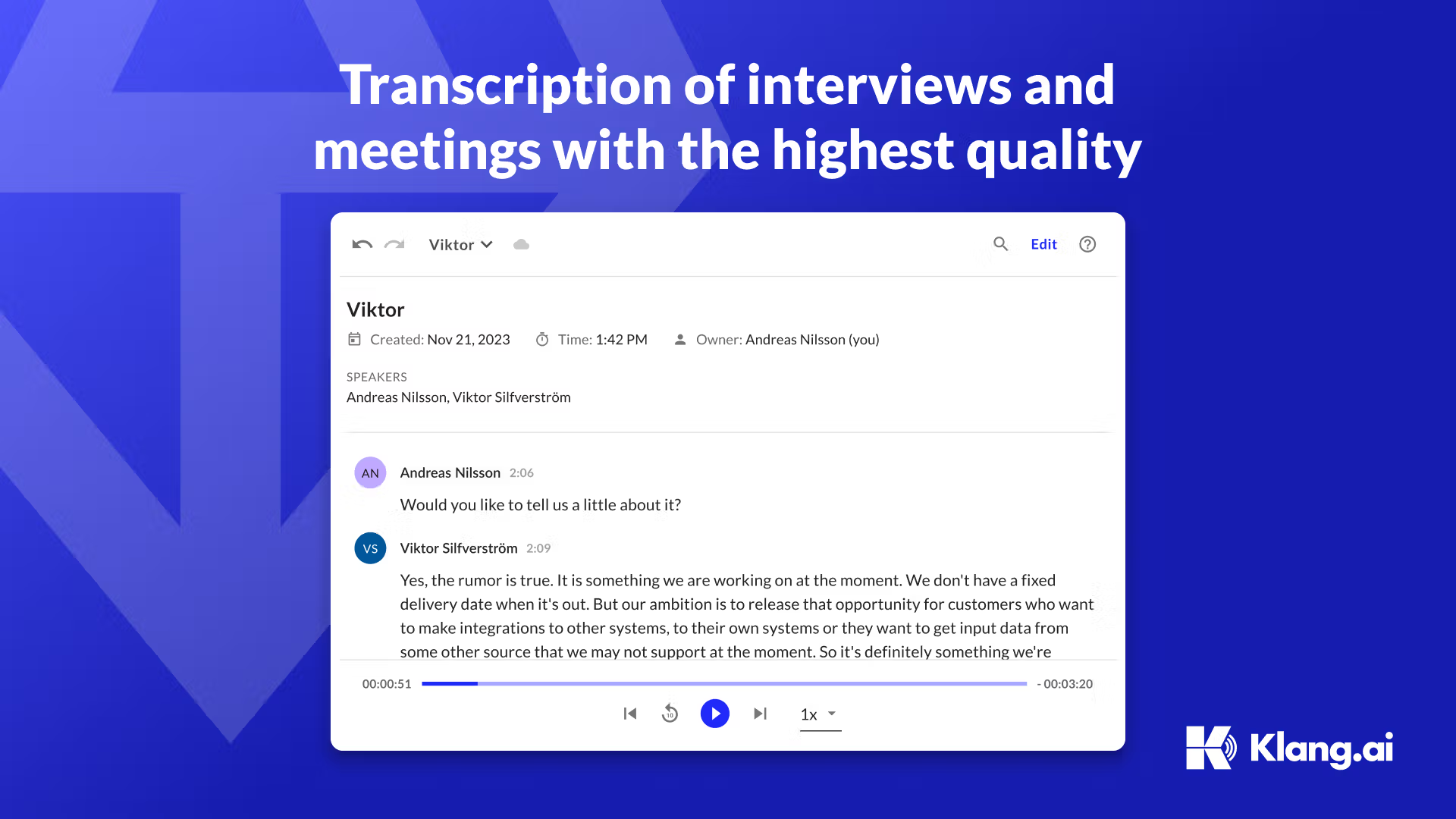
Klang separates speakers in the transcript so an interviewer, participant, or meeting owner can review the conversation turn by turn. The transcript remains editable, and the source audio makes it possible to return to the original moment before quoting a participant or sharing a decision.
After the review, the same conversation can be summarized and made searchable alongside other selected meetings or research material. This page focuses on that interview and meeting workflow; the transcription hub explains the broader service.
Check security before adding sensitive material
The right setup depends on the material, the people who need access, and your organization's retention requirements. Review Klang's documented controls, European processing, no-training policy, and available deployment options on the security page before uploading confidential interviews or meetings.
Related guides and insights
Best AI Transcription for Nordic Languages
Finding a transcription service that delivers high quality for Nordic languages has long been a challenge. Many of today's solutions are primarily focused on English, making them less relevant for users in the Nordic region.
Read articleMeeting guidesMeeting Minutes Template: A Practical Copy-and-Paste Format
Use this free meeting minutes template to record decisions, owners, deadlines and follow-ups clearly. Includes a filled example, preparation checklist and formats for common meeting types.
Read articleGuideHow to record and transcribe a phone interview
A current workflow for recording a phone interview with Klang, informing participants and turning the call into a verified transcript and summary.
Read article